Teach TIA Portal
with a live view of every student project
Classroom turns a room of TIA Portal PCs into a connected class. Each student receives a free personal key, valid for one year, through a class code given by the teacher.
For students: T-IA Connect free for one yearFor the teacher
Everything happens from the teacher's PC, on the local network of the room, while students work in TIA Portal as usual.
Sessions and admission
The teacher opens a session with a six-digit code, students find it on the local network, and nobody enters without the teacher's approval.
Live view of each project
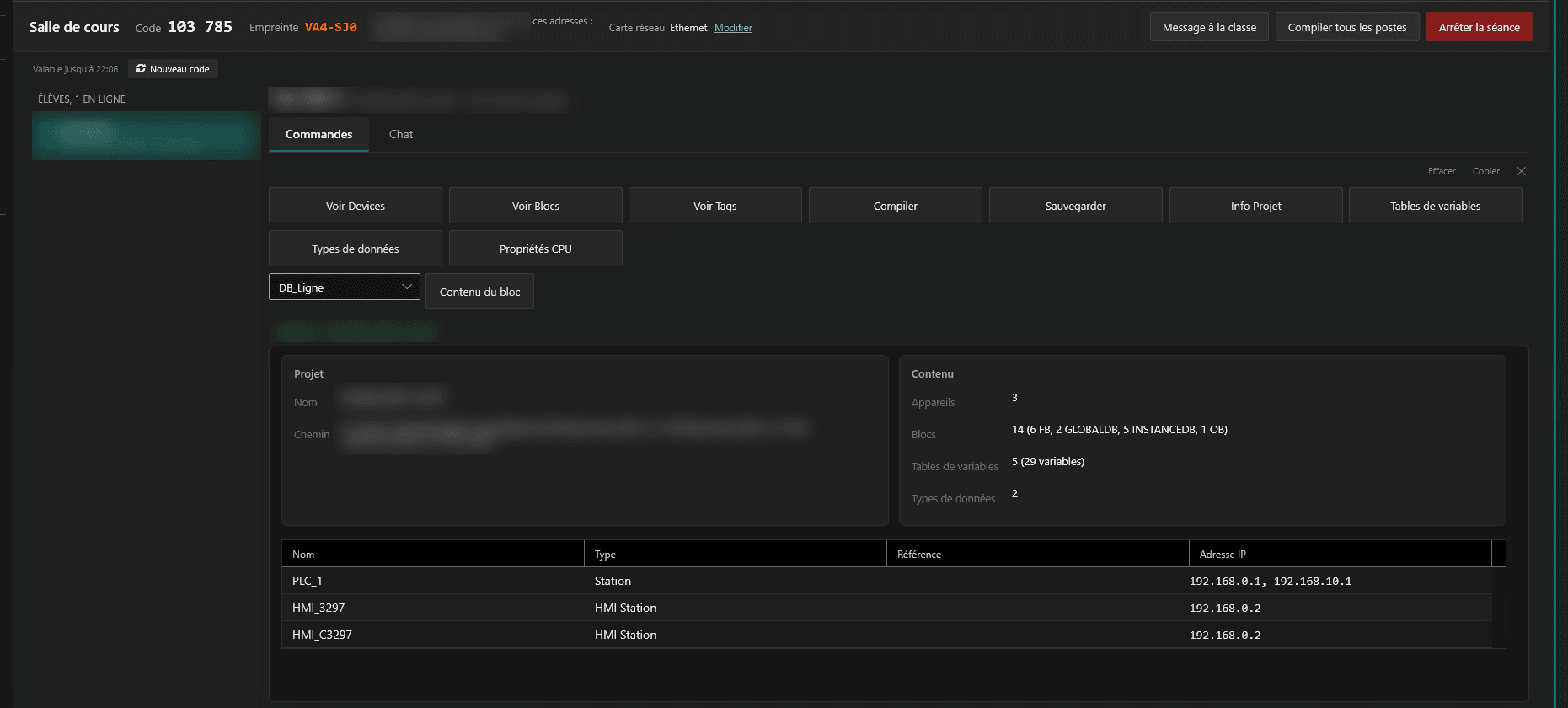
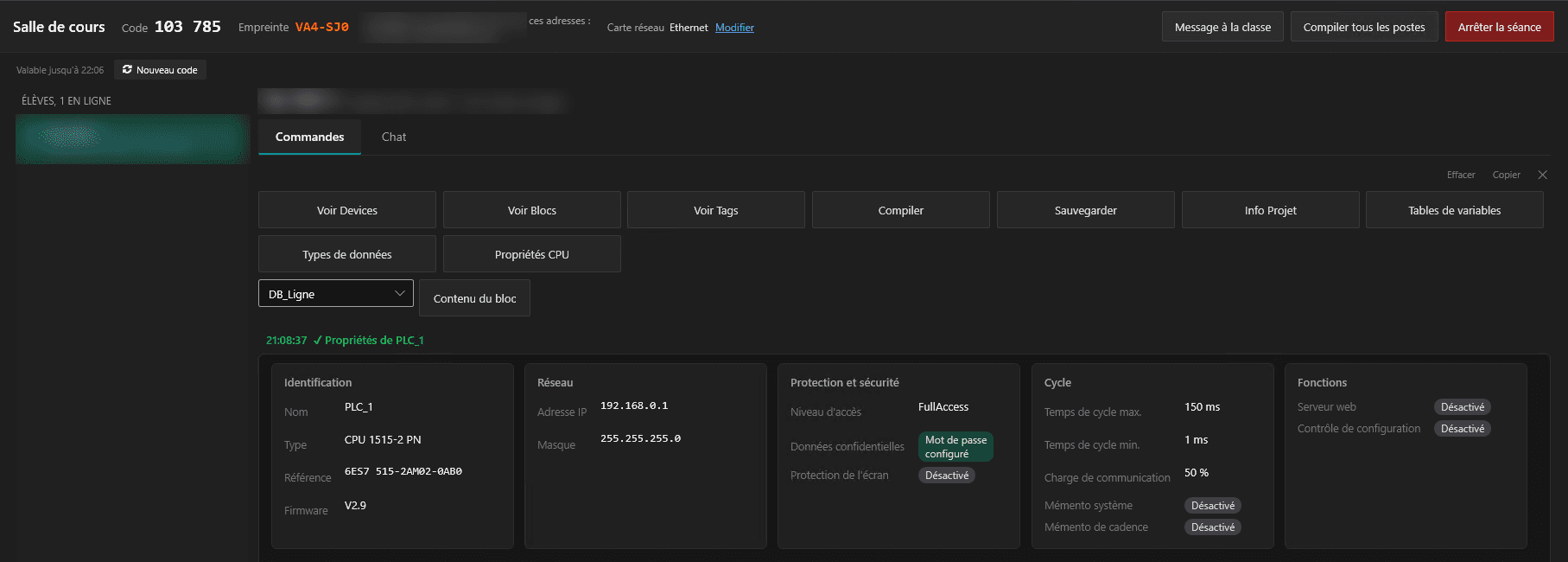
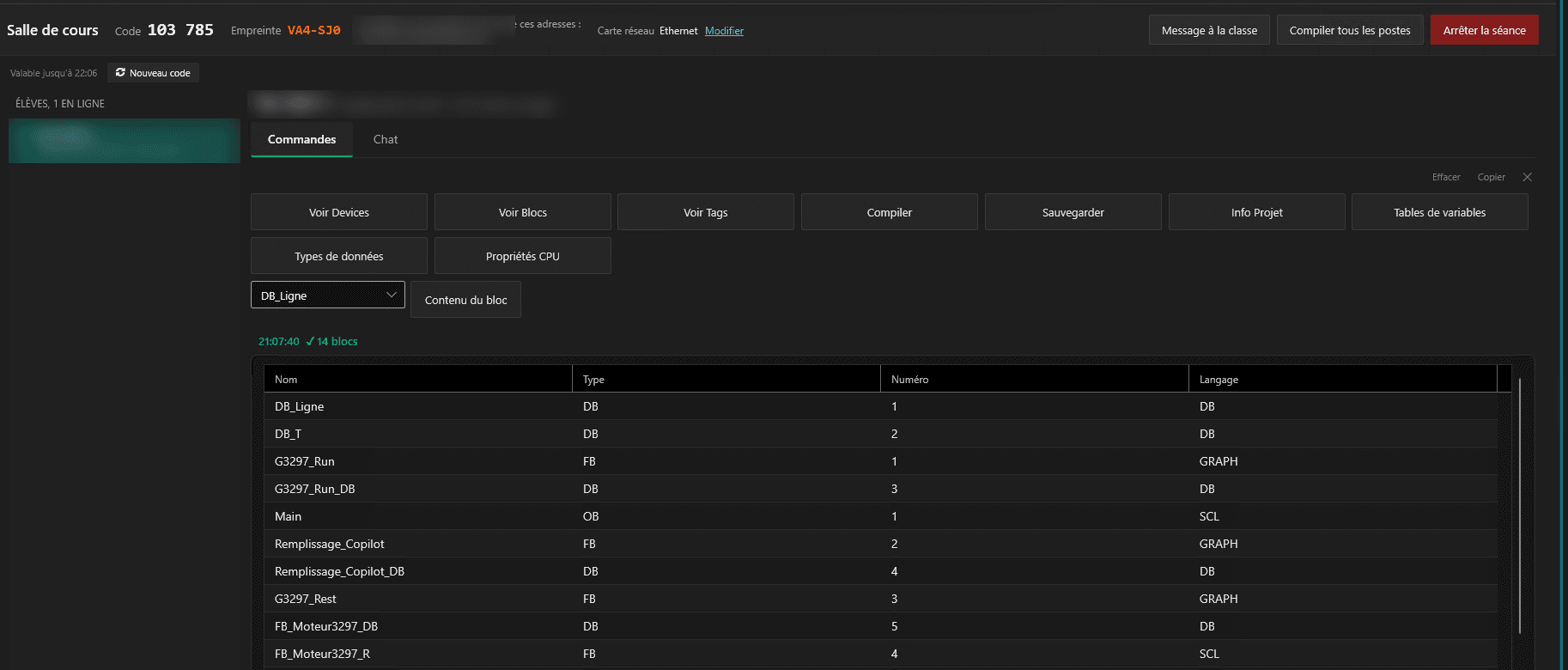
Devices, blocks, PLC tags, tag tables, data types and CPU properties of each student project, without leaving the desk.
Program review
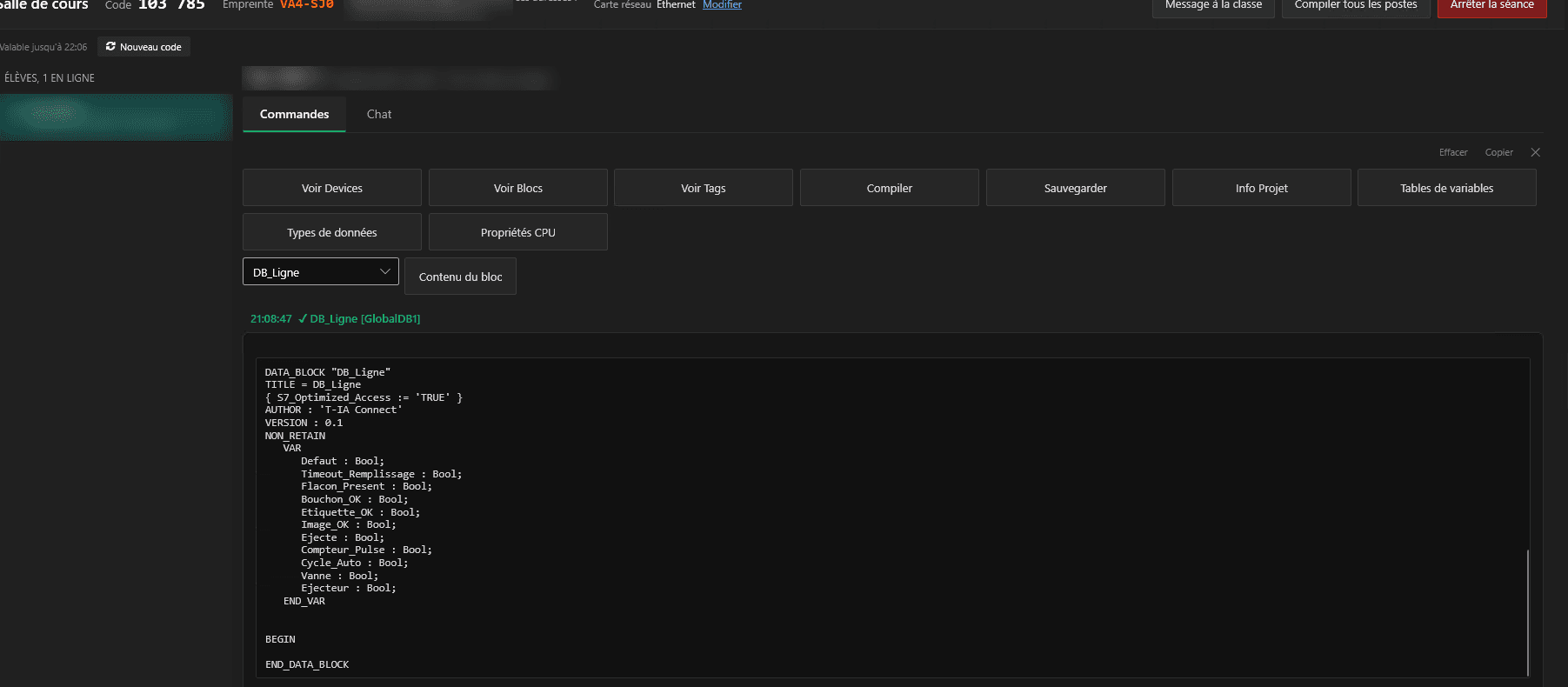
Open any student block: SCL and STL as text, LAD and FBD networks drawn read-only, GRAPH sequences with their steps and transitions.
Commands on projects
Compile or save a student project, or compile the whole class in one action and see which projects fail.
Communication
Private chat with each student, messages to the whole class and a pinned instruction, and students see every action of the teacher on their project.
Class codes: a free key for every student
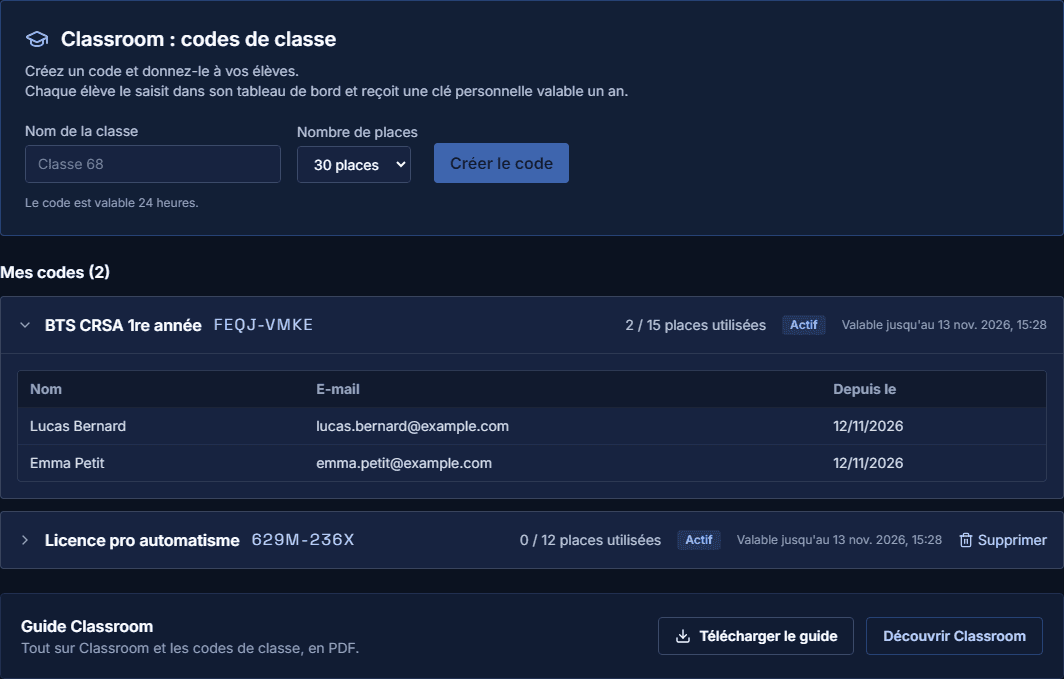
The teacher creates a code for a class, the students enter it in their account, and each one gets a personal key valid for one year, at school and at home.
The teacher creates a code
In the Classroom tab of the online dashboard: class name and number of seats, from 1 to 50.
The teacher shares it
The code is valid for 24 hours, long enough for a lesson.
The student enters it
The student creates an account, confirms the email address and types the code in the Classroom tab.
A key for one year
The student receives a free personal T-IA Connect key, valid for one year, usable at school and at home.

Open to students, closed to everyone else
- A key is issued only with a valid code and an account whose email address is confirmed, and only the teacher knows the code and its number of seats.
- Classroom works on the local network of the room only, with no cloud service in between, and the exchanges between teacher and students are signed.
- The teacher acts only on the TIA Portal project of a student, never on the PC itself: no files, no settings, no licence.
For universities, schools and training centres
An organisation offer is in preparation: the establishment, its teachers and their students in one place, with installation on the lab PCs by the IT department. Contact us to prepare a first lab session.
Frequently asked questions
Does the student pay for the key?
No, the student key is free and valid for one year, and the establishment only pays for its teachers.
Can the student use the key at home?
Yes, the key belongs to the student, who can use it at school and on a personal PC.
Must the student use a school email address?
No, any email address works, as long as it is confirmed when the account is created.
What does the teacher see about the students?
For each code, the name, the email address and the date the key was issued, never the key itself.